Home > Products >

Tool for detection and isolation of personal/ secret information files

Isolation and registration of detected files


Management and deletion of files containing secret/personal information is possible

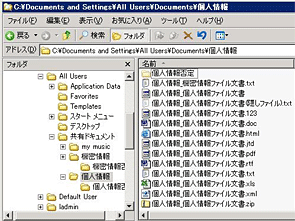
If a user put a checkmark to secret or personal information in filling in report after detecting files, it is possible to move those files to a specified folder. Deleting files that the user decided to be unnecessary is also possible.
Management and deletion of files containing secret/personal information is possible
You can grasp the status of possession by assembling files dispersed in PC to one location.

Making use of collected information

There are two formats of the check form that users fill in after they detect files; the stylized version and the customized version to which the administrator adds original items configured by him/her. The analysis reports can be output based on these check forms.

Types of the check form of private information

As for the check form of private information which users fill in after detecting files, these three types are prepared: the JNSA version(*), the simple version, and the customized version. It is possible that the administrator sets required/optional attributes to the items in each form.
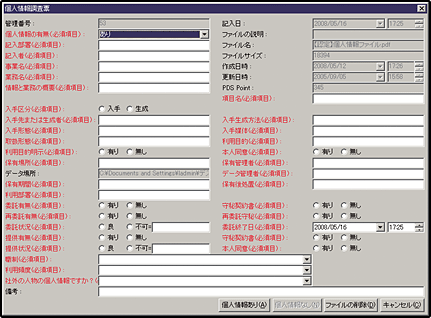
Types of the check form of private information
(*)This version outputs to the Excel format according to "Check form of private information" recommended in "Personal Information Protection Act Measures Security Practice Manual" published by NPO Japan Network Security Association (JNSA).
Types of the check form of secret information

Two types of the check form of secret information are prepared: the standard version and the customized version. Users are requested to fill in description about detected files that are suspected to include secret information. It is possible that the administrator sets required/optional attributes to the items in each form.
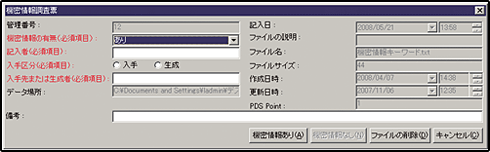
Types of the check form of secret information
If deletion of files is enabled by the administrator, users can delete files that they think unnecessary.
Creation of inventory reports

These four types of reports can be output in Excel format based on the result of detection: "Inventory report", "Check form", "Graph" and "Time-line Analysis Report". They will help you grasp the client PCs that keep many files containing secret/personal information or check the change of status of their possession in chronological order.
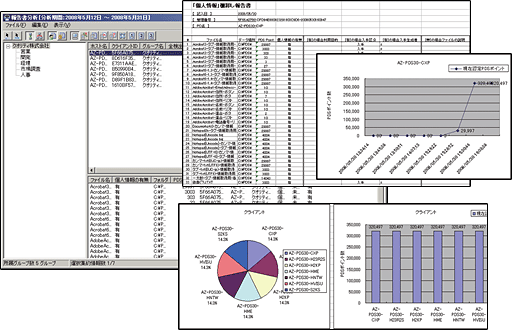
Creation of inventory reports

Cooperation with the reporting tool eX Report

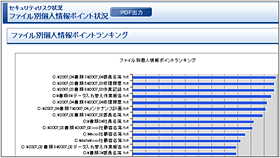
It is possible to analyze data collected by eX PDS and output PDF report using eX Report. It shows owners of the files containing secret/personal information in a list.

(*) The cooperation will be done with "eX Report Ver.1.2" that will be released on September 2008.

To check details of eX Report*
Cooperation with the reporting tool eX Report
Reports can be viewed on a Web browser, and also output to PDF files.
*Only Japanese
  • If you have any question about our products, or need explanations for consideration of their introduction, please contact our sales staff [sales@quality.co.jp]
*Only Japanese
©2009 Quality Corporation All Rights Reserved
クオリティソフト株式会社

記事はありません

お探しの記事は見つかりませんでした。