

 Top of page

記事はありません
お探しの記事は見つかりませんでした。







eX PDS can detect files containing addresses, names, phone numbers and email addresses from within countless files in client PCs on the network.
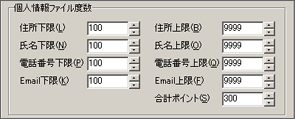
If a file containing addresses, names or email addresses is found after finishing detection of personal information file, you can request the user to fill in personal information check form. Company members will recognize the existence of files with risks of leakage of personal information, and it will raise their consciousness that they should not keep such files in their PCs.
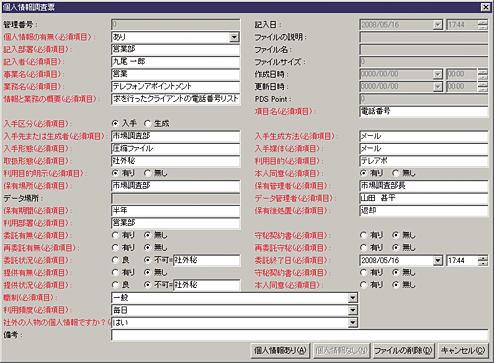
Four types of reports can be created based on personal information check form that users handed in.
| ExcelŒ`Ž® | eX PDS Ver.3.0 |
|---|---|
| Inventory report |
A list of personal information files. It is output by each eX PDS client As for the second sheet or later of personal information check form, to output or not can be chosen |
| Check form | Detailed information of personal information file. It is output by each file |
| Graph | The distributed graph and data graph of PDS Point of multiple eX PDS clients/groups which are selected in the summary list view consist of circle graph and bar graph; the former shows the ratio of PDS Point after comparing points, and the latter shows the number of each PDS Point |
| Time-line analysis report | It shows the transition of PDS Point during the analysis term on the eX PDS client selected in summary list view |