Collectable inventory data

back next
4/14

Collect hardware information

Administrator can collect hardware related information on client machines.
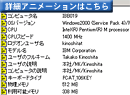
Basic data Date and time when inventory was acquired/Computer Name/OS/CPU/CPU Speed/Type of Keyboard/Physical Memory/Available Memory/Video Card/Resolution/Printer/Swap Size/Domain Name/Logon User Name/Model Name
Network data Network Interface Card/MAC Address/IP Address/Netmask/Default Gateway/DNS Server/Version of Socket
Drive data Total disk space of each local volume/Free disk space of each local volume
DMI data BIOS Version/BIOS vendor/BIOS date/Machine vendor/Machine name/Machine serial/Machine UUID/Mother board vendor/Mother board name/CPU ID/CPU external clock

Collection of software data (collection of information of addition and deletion of applications)

Administrator can collect information of software products which are installed on client machines.
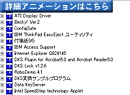
Target data Installation directory/Name of Executable file/Product name/Detailed version/File size/Modified date of file/Add or delete information of programs/MS-Office information/Notes information

Collect optionally configured items

Regarding client items which are not originally collected by QND, administrator can also collect them (as optional inventory data) by setting as optionally configured items.

Collect particular data by external programs (plug-ins)

With external programs (plug-ins), QND can track the history of past connection of external storage devices such as USB memory stick, and grasp the usage status of shared folder by clients.
The solutions that describe the function above mentioned are linked from the folllowing

Case of "measure against information leaks" by grasping log of connection to USB port by memory devices
Antivirus solution by grasping the status of use of shared folder

Collect OS/IE/IIS data

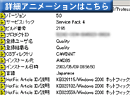
Administrator can collect the information of ServicePack/HotFix/Product ID/Detailed version of IE on client machines.

Collect registry/INI file data

QND can get registry and INI file data on clients.

Collect info using SNMP

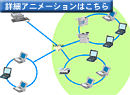
QND can get network device data such as printers, routers, and hubs by using SNMP (Simple NetWork Management Protocol).

Collect info of Linux/UNIX/Macintosh

Data on LINUX/UNIX/Macintosh clients can also be collected. (Collected items should be limited.)
Available items on UNIX/LINUX
Hardware data Computer name/OS Version/CPU/Model name/Memory/MAC address/IP address/Net mask/Drive data
Software data Executable path /Product version of sendmail/bind/apache
Supported platform Solaris
2.6(SPARC)/ 7(SPARC)/ 8(SPARC)/ 9(SPARC)
FreeBSD
4.6 (x86)
Linux
Red Hat Linux 7.2(x86) /7.3(x86)
turbolinux7.0(x86)
Available items on Mac
Hardware data Computer name/OS version/CPU/Model name/Memory/MAC address/IP address/Net mask/Drive information
Software data Pathname of program executable/Product version/Optional inventory data
Supported Platform Classic MacOS MacOS8.6 or later
MacOS X 10.0.4/ 10.1.5/ 10.2.8 /10.3.2 or later
back next
4/14

IT asset management tool
QND Plus

QND Integrated Leakage Measures Products

About our policy of handling personal information
Inquiries about our website
クオリティソフト株式会社

記事はありません

お探しの記事は見つかりませんでした。